Finding what you need, fast
Search in the app looks across places, routes, events, and FAQs all at once, so you don’t need to know exactly where something lives to find it. It’s also forgiving — it doesn’t need you to type the exact words used in the app to find a good match.
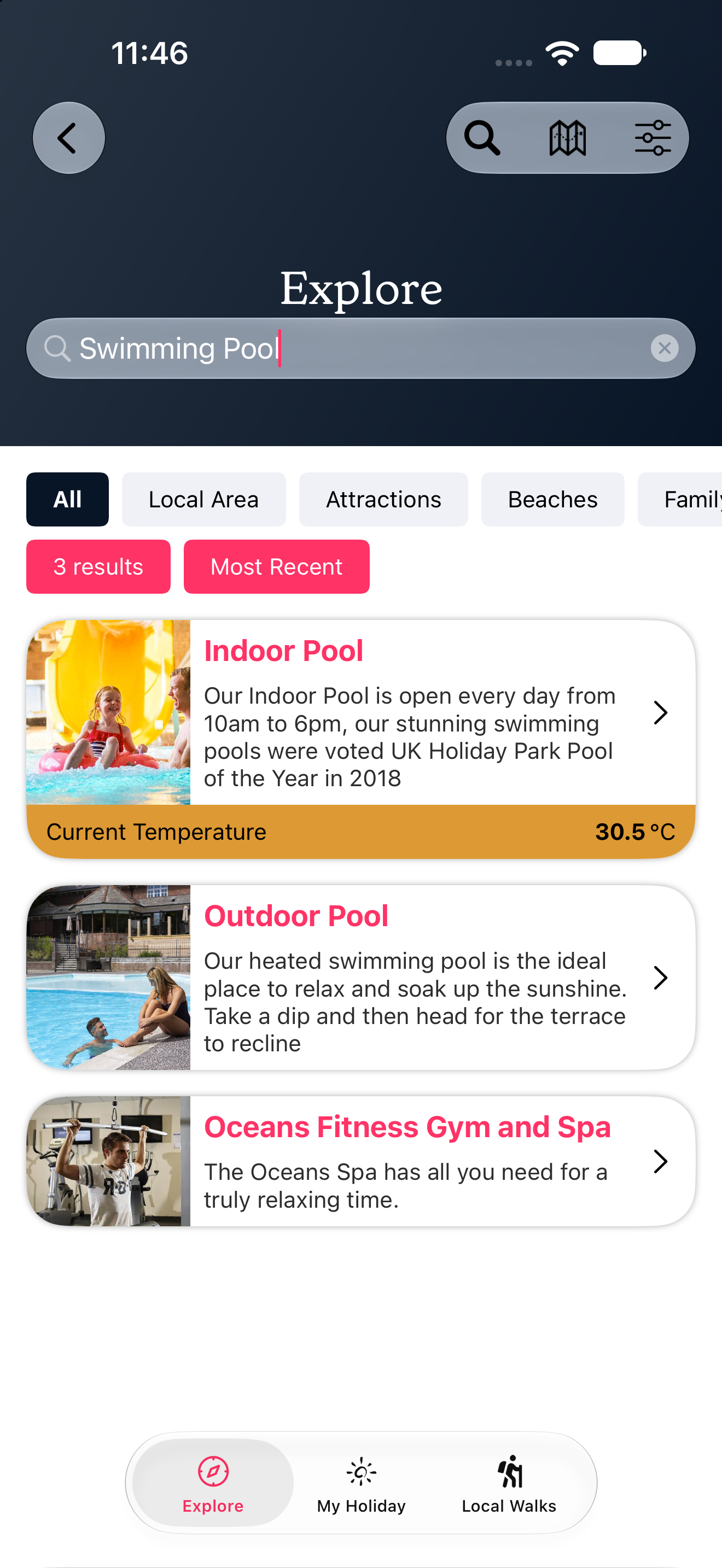
Search understands close variations of a word, not just exact spelling. For example, typing “swiming” will still find “swimming pool” — you don’t need to worry about getting every letter right.
Info
On iPhone and iPad, search goes one step further: it can also pick up on related ideas, not just similar spelling. Searching for “cats” might surface pet-friendly places, even if the word “cats” doesn’t appear anywhere in the listing. This extra step isn’t currently available on Android, so the same search on an Android phone may return fewer results for this kind of broad, idea-based search — although close-spelling and typo-tolerant matches work the same on both.
Info
Results are shown in order of best match first. If you’ve used the app before, your preferences can gently reorder results that are otherwise equally good matches — but it will never push a weaker match above a stronger one.
Tips for better results
- Keep it short — one or two simple words usually work better than a full sentence.
- Don’t worry about typos — search is forgiving of small spelling mistakes.
- Try a different word if your first search doesn’t find what you’re after — search looks for similar meanings too, not just exact wording.