Instead of asking Siri to search one specific thing — FAQs, or events, or the welcome pack — a guest can just say “Search [app name] for…” and finish the sentence with whatever they’re actually after. Siri searches everything at once: FAQs, events, places, offers, routes, home sales, and the welcome pack.
Info
This works differently from the other Siri shortcuts in this chapter. It’s built on a phrase pattern iOS itself understands (“Search [app name] for…”), rather than a shortcut the app registers — so it won’t appear by name in the Shortcuts app the way “Search FAQs” or “Search Holiday Homes” do. Saying the phrase to Siri directly is the way to use it.
Guest asks Siri
Content: They say something like “Search [app name] for pool opening times”, finishing the sentence with what they’re after. The phrase has to include the thing being searched for — a bare “Search [app name]” isn’t recognised as a shortcut.
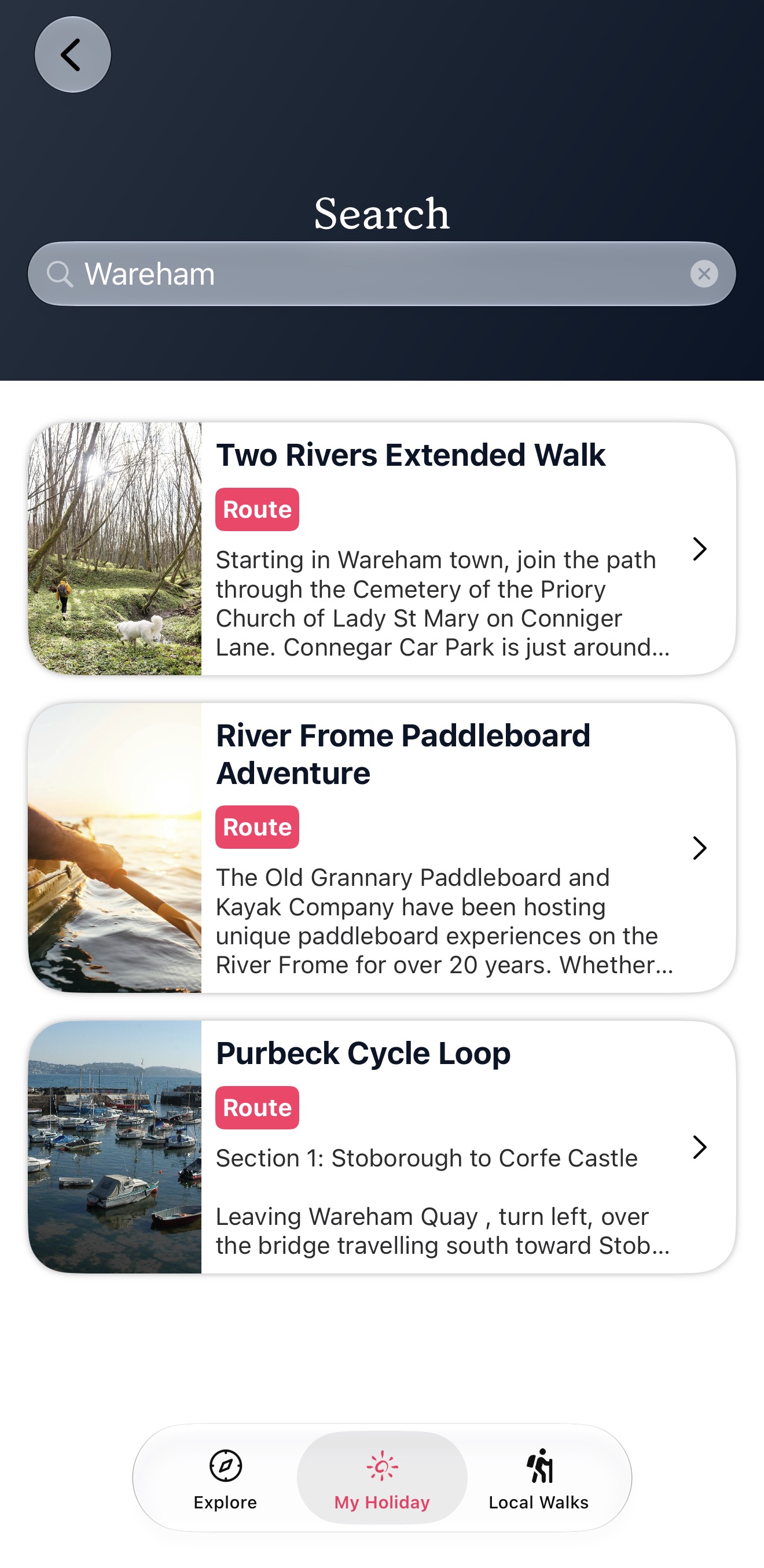
The app opens to its own Search screen
Rather than Siri answering out loud or showing a result card, the app itself comes to the front, straight onto its own Search screen — with the guest’s term already typed into the search bar and matching results already listed below it.
Guest browses or refines
The results can span every content type at once — an FAQ, a place, and an offer might all appear together in the same list. Since it’s a normal search screen with a search bar, the guest can keep typing to narrow things down, or just scroll and tap whatever they meant.
Info
There’s no spoken reply and no Siri result card for this one — because the app is forced to open, results are shown on the app’s own Search screen instead. If a term matches more than one content type, everything that matches just appears together in that one list; there’s no “did you mean X or Y” question, unlike the FAQ/Events/Places-style shortcuts elsewhere in this chapter. On a locked phone, iOS asks the guest to unlock before the app opens on the Search screen. This Search screen can only be reached from Siri — there’s deliberately no Search button inside the app, because it only covers the seven content types Siri can search, not the whole app.