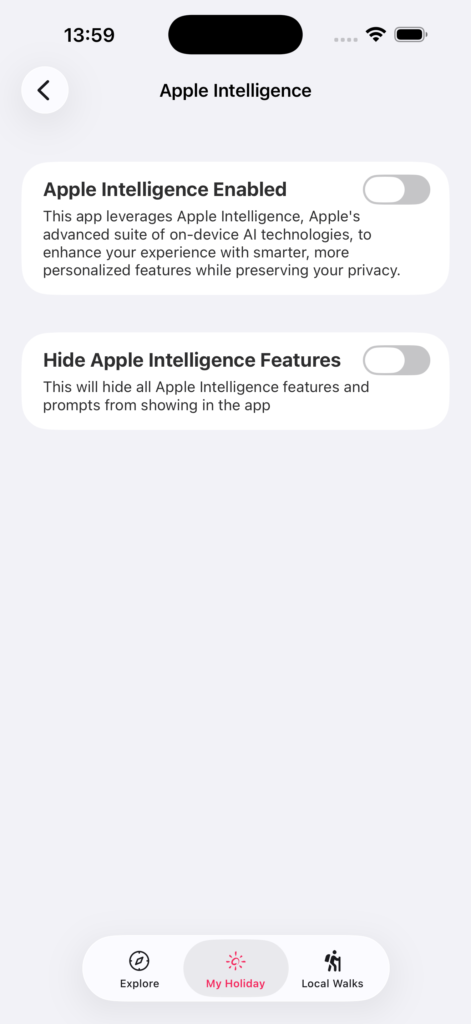
Guests control whether Apple Intelligence features are active through the app’s settings. This lives under the Apple Intelligence section in Settings.
Master switch
There’s a top-level toggle to enable Apple Intelligence features in the app. When it’s off, none of the AI features appear — no summary buttons, no recommendation reasoning, no AI-generated Siri responses. The app works entirely as normal.
Individual feature switches
When the master switch is on and Apple Intelligence is available on the device, guests can independently toggle:
- Summaries — on-demand text summarisation on content pages
- Recommendation Reasoning — per-item explanations for why something was recommended
Siri responses are handled separately by the Siri feature and don’t have their own toggle here.
Hiding AI features entirely
If a guest doesn’t want to see any prompts or references to Apple Intelligence — even to turn them on — there’s an option to hide all Apple Intelligence features from the app. Useful for guests who’ve decided it’s not for them and don’t want to be reminded.
Status indicator
The settings page shows the current status of Apple Intelligence on the device — ready, downloading, not enabled in iOS settings, or device not eligible. If something isn’t working, guests can check here to understand why.