If you are an existing user of Sell My Group, then we are able to turn on automatic publishing of your home sales listings. These listings are treated the same as if you had entered the home information to the Sell My Group system, therefore can also be published further to RightMove and other channels from there.
Publishing Controls
On each home for sale record in your holidaymaker CMS you can find the ‘Channel Manager’ field group. If you have the Sell My Group channel manager enabled, this will include a tab for ‘Sell My Group‘.
This tab includes a single switch box and a multi select features box
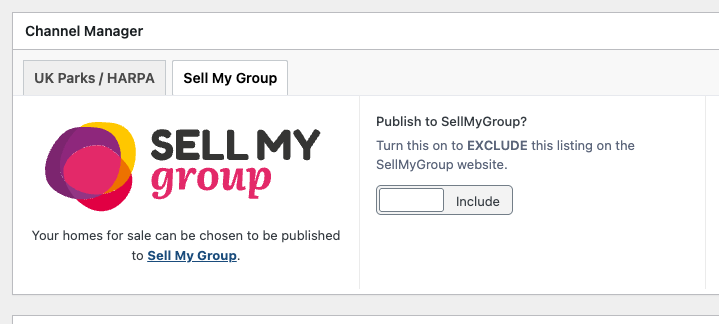
Publish to SellMyGroup?
This switch is set to ‘Include’ by default (Off Position). If you turn to Exclude (On Position) then this record will NOT be syncronised with SellMyGroup.
Note: Any home records that are marked as sold will automatically be excluded from Sell My Group in the same way.
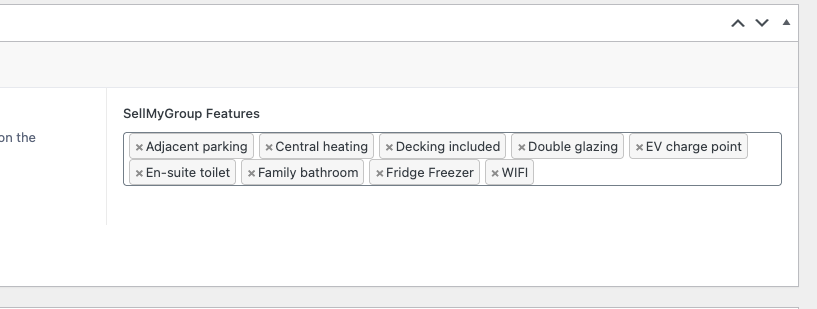
Sell My Group Features
This multi-select field allows you to select what features this unit includes. These features are set by SellMyGroup, so you are not able to add your own custom entries.
Publishing Automation
When you save a home sales record in the Holidaymaker, CMS then that home will be marked as ‘needed to be synchronised’ with SellMyGroup. This will then happen in the background in the next homes sales request cycle, from your Holidaymaker web surface. This could be between 1-10 minutes depending how many tasks your Holidaymaker service works through.
- Individual homes are synchronised with SellMyGroup after they have been added, edited, or removed
- This feed will happen in the background a few minutes after you have saved the record
- This means batches of changes will get actioned in one hit, if required
- Homes will not be added/removed instantly from SellMyGroup
- There is the option to perform a full synchronisation on the SellMyGroup audit page in the Holidaymaker CMS
Publishing Setup
The SellMyGroup feed needs to be set up between both the admins of the SellMyGroup and the Holidaymaker implementations team. We simply require an API key from them to access the API attached to your account. Once we have this, you can then map your parks or home sale locations.
Mapping SellMyGroup Properties
There are various pieces of data that SellMyGroup require in either a different format, or attached to a specific entity on their system. Because of this, we have added our own mapping system when you setup your taxonomy records in Holidaymaker. This only needs to be done once for existing taxonomies, and then should be done when adding new items.
When data is not mapped, Holidaymaker will try and map these items itself if titles match, or it is able to convert format.
Parks
The Parks available to publish on SellMyGroup need to be mapped differently, depending on how your system is setup.
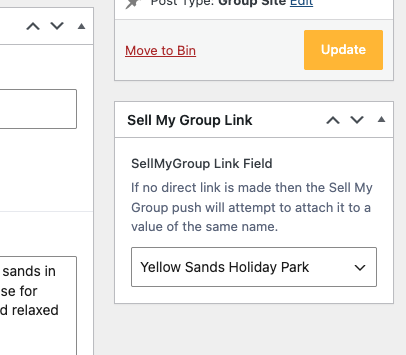
Group Sites
If you are a multi-park Holidaymaker client (Group Sites Module), and you use them for your homes for sale locations, then your Group Site records will have a new ‘Sell My Group Link’ meta box in the side bar when editing the records. From here, you can select which park it should match to.
Note: If this link is not made, we will do a name compare to SMG parks and the selected group site on a home to try and match.
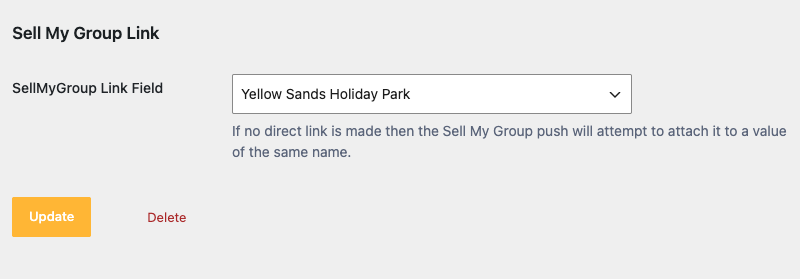
Home Sale Locations
If you are using the optional ‘Locations’ taxonomy, and you use them for your homes for sale locations, then in your Location taxonomy – setup a new ‘Sell My Group Link’ meta field when editing or adding a new item. From here, you can select which park it should match to.
Note: If this link is not made, we will do a name compare to SMG parks and the selected location on a home to try and match.
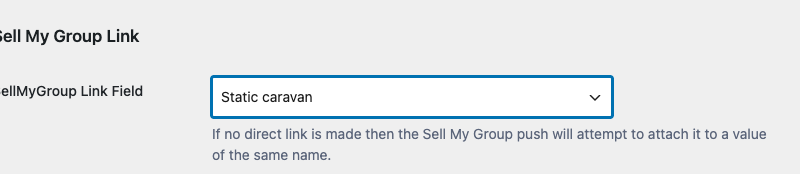
Property Types
SellMyGroup has a set selection of property types, which can then be mapped to the Holidaymaker Home Types taxonomy. Example could be that your holidaymaker ‘Caravans’ type could be mapped to the Sell my Group ‘Static Caravan’ type.
Note: If this link is not made, we will do a name compare to SMG Property Type and the selected Home Type on a home to try and match.
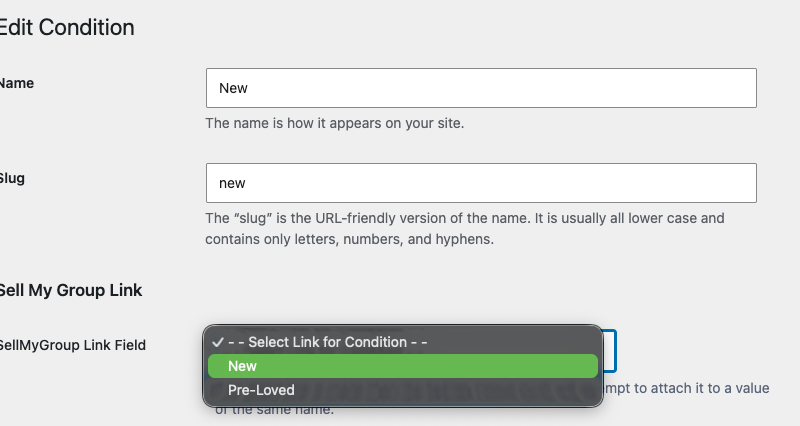
Condition
SellMyGroup has a set selection of conditions which can then be mapped to the Holidaymaker Condition taxonomy. Example could be that your holidaymaker ‘Pre-Owned’ condition could be mapped to the Sell my Group ‘Pre-Loved’ condition.
Note: If this link is not made, we will do a name compare to SMG Condition and the selected Condition on a home to try and match.
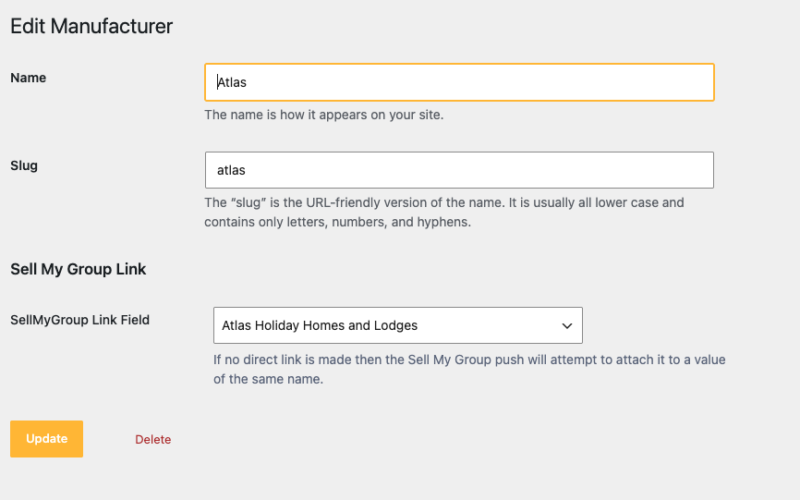
Manufacturers
SellMyGroup has a set selection of manufacturers which can then be mapped to the Holidaymaker Manufacturer taxonomy. Example could be that your holidaymaker ‘Atlas’ manufacturer could be mapped to the Sell my Group ‘Atlas Holiday Homes and Lodges’ manufacturer.
Note: If this link is not made, we will do a name compare to SMG Manufacturer and the selected Manufacturer on a home to try and match.
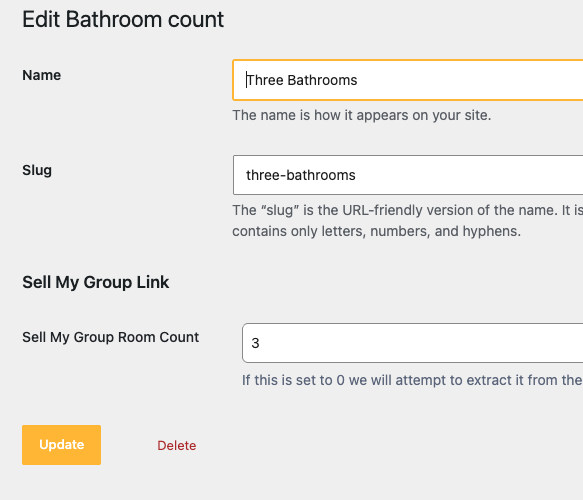
Rooms and Bathrooms
SellMyGroup can receive a number for the amount of rooms and a separate number for bathrooms. By default, these do not need to be mapped in Holidaymaker if they use the correct numeric in the title in Holidaymaker. Examples are ‘3 Bedrooms’, ‘2 Bathrooms’ which would then be sent as ‘3’ and ‘2’.
However, if the taxonomy title in Holidaymaker does not have a numeric against it, then you should use the ‘Sell My Group Room Count’ field to specify the number. E.g. ‘Three Rooms’ should then be set to ‘3’.
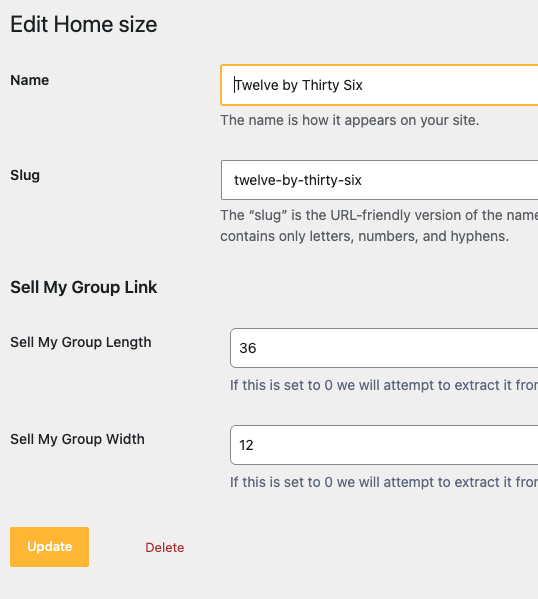
Home Size
SellMyGroup can receive a number for the length and width of a unit. By default, these do not need to be mapped in Holidaymaker, if they use the correct numerics in the title in Holidaymaker. Examples of taxonomy titles of a 36foot by 12foot unit, which will work out without any mapping are:
- 36×12
- 36-12
- 36 x 12
- 36ft x 12ft
- 36ft-12ft
However, if the taxonomy title in Holidaymaker does not automatically work against it, then you should use the ‘Sell My Group Length and Width’ fields to specify the number. E.g. ‘Twelve by Thirty Six’ should then be set to ’36’ and ’12’.
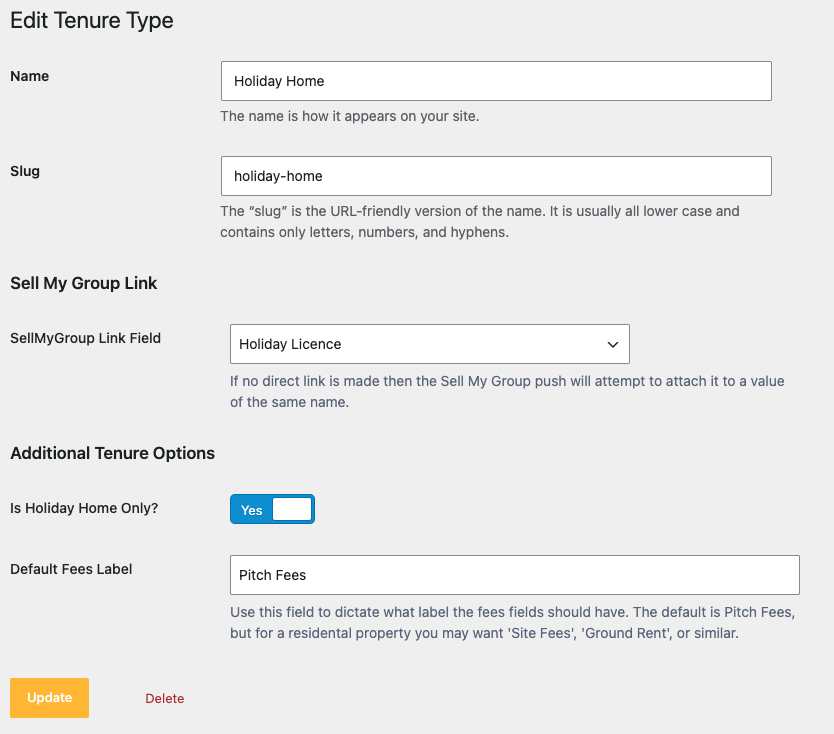
Tenures
SellMyGroup has a set selection of tenures, which can then be mapped to the Holidaymaker Tenure taxonomy. Example could be that your holidaymaker ‘Holiday Home’ type could be mapped to the Sell my Group ‘Holiday Licence’ tenure.
Note: If this link is not made, we will do a name compare to SMG Tenures and the selected Tenure on a home to try and match.
Data and Conditions
In the following circumstances, a home for sale will NOT be published:
- Home is marked as SOLD
- Home does not have a price above 0 (eg set to POA or TBC)
- Home does not have a valid Park ID set to it (either HM GroupSite, or a HHS Location depending on your setup)
- Home does not have a valid Property Type set to it (Cannot auto map, or Home Type is not manually mapped)
- Home does not have a valid Condition set to it (Cannot auto map, or Condition is not manually mapped)
The following data on your homes for sale is sent:
- ID (as part of an ‘Agent Reference’ on sell my group)
- Title and Main Content
- Home Type / Property Type
- Park ID / Location
- Manufacturer (If it can be mapped)
- Price and Sale Price if set
- Condition (If it can be mapped)
- Year or Manufacturer (Year Built on SMG)
- Dimensions / Size (If it can be mapped)
- Bedroom Count (If it can be mapped)
- Fees cost
- Main Image and Gallery Images
- List of features set in the SMG Channel Field
Release
The following data is only sent in HM Core version 2026.9.1 and above
- Bathrooms Count (If it can be mapped)
- Fees include VAT flag
- Tenure Type(If it can be mapped), and Tenure Length
- Is holiday home only flag
- Council tax band
- Contact email address (default or override)