Not every guest knows what they’re looking for. Sometimes they just want to see what’s on, without naming anything specific. Events is the one part of the app that supports this.
Rather than asking Siri for a specific event, a guest can say something open-ended like “what’s on this weekend at [app name]” and Siri shows a selection straight away — no follow-up question, no keyword needed.
Info
This only works for events. Every other content type — FAQs, places, routes, offers, home sales, and the welcome pack — needs a keyword; see Siri: Searching by Voice for how those work.
How it’s different from search
With search, Siri waits for a keyword before doing anything. Here, a guest can narrow things down by time period instead — “this week”, “next week”, “today” — and Siri goes straight to results. Asking about what’s coming up right now shows up to three events; asking about a wider period shows up to ten. Events are listed in the order they happen, soonest first, rather than by how well they match — and a browse is always shown as a list, never opened straight away or turned into a “which one?” question.
How it goes for the guest
Guest asks Siri
They say the phrase — for example “what’s on tomorrow at [app name]”.
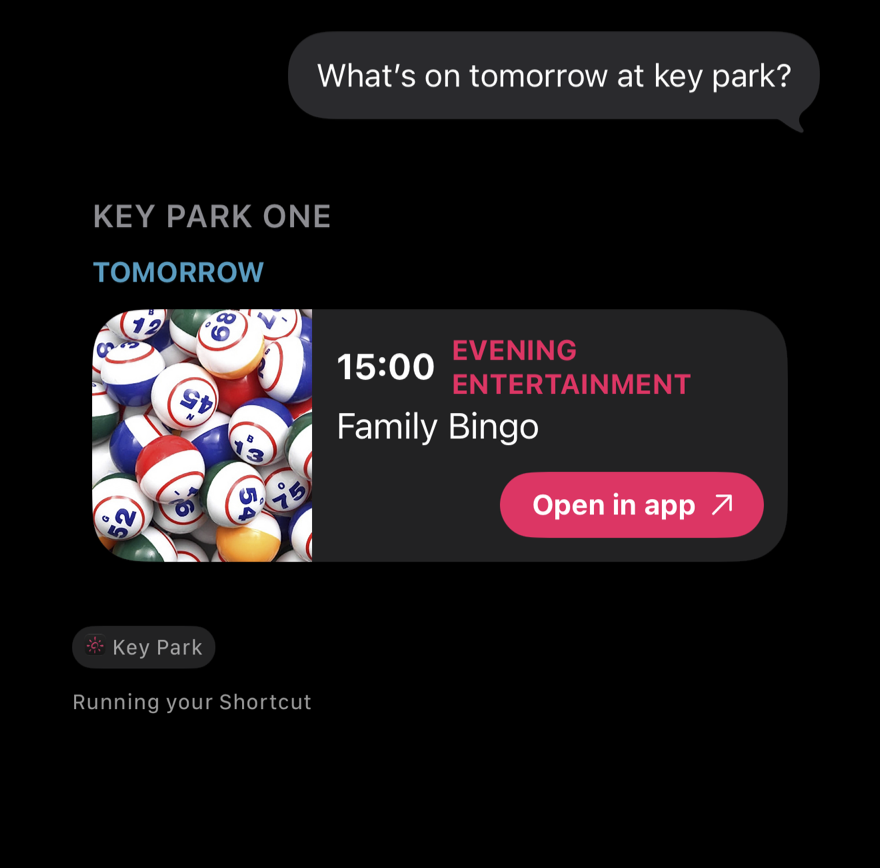
Guest finds what they want
The list is there to read at a glance. Tapping it opens the app, but doesn’t take the guest to that particular event — to go straight to one, they can search for it by name (see Siri: Searching by Voice).