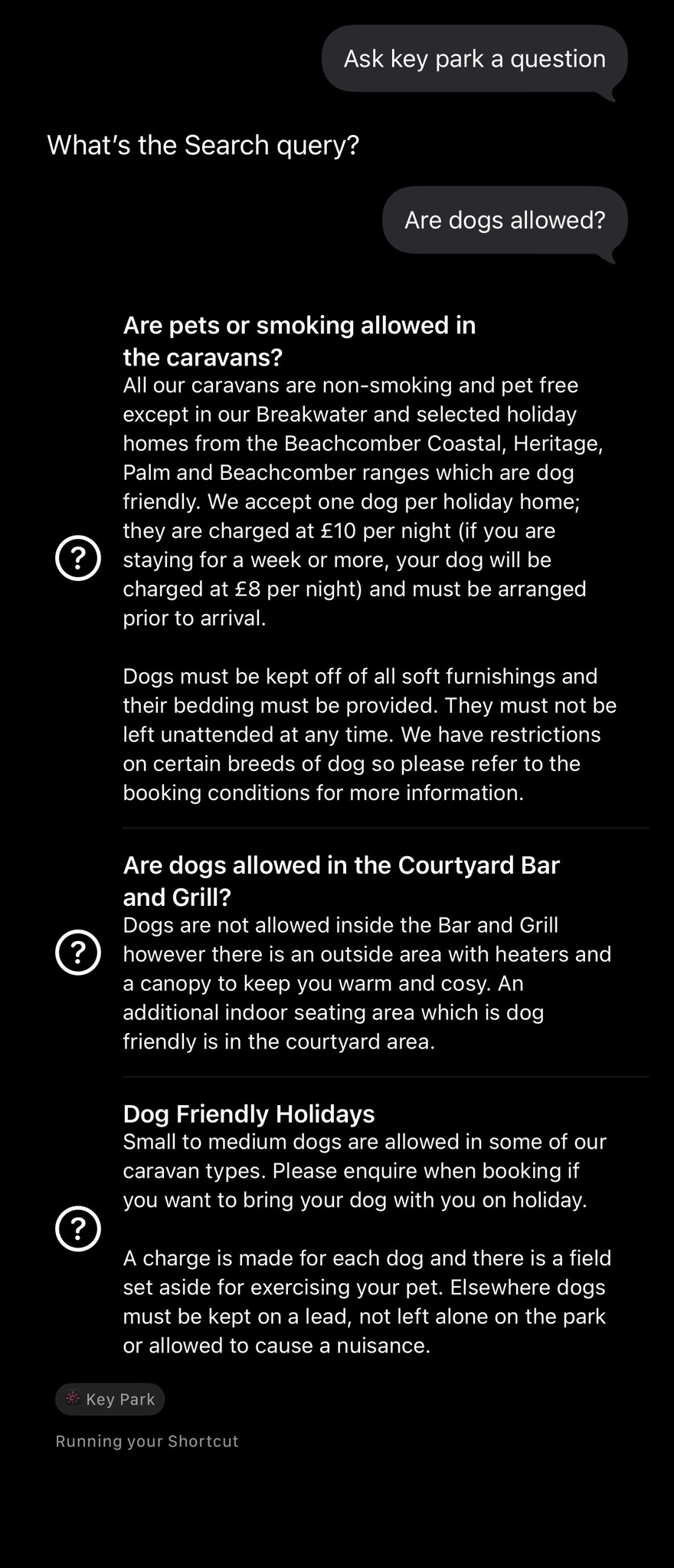
Guests can ask Siri to search a specific part of the app. Siri asks what they’re looking for, then reads back a short reply. What happens next depends on how many matches there are: one match opens straight away, a handful are read out for the guest to choose from, and a longer list is shown on screen.
Info
Content: This works for every content type — FAQs, events, places, routes, offers, home sales, and the welcome pack. For each of these, Siri asks “what are you looking for?” (for FAQs it asks “what would you like to know?”) and waits for an answer. Events is the one exception: it can also be browsed by time period with no keyword at all — see Siri: Browsing Without Searching. Searching across every content type at once, rather than one at a time, is handled by Siri Global Search.
Searching by category, feature or section name
A guest doesn’t need to know the name of a specific place, route, offer, or home. Saying a category works too — “attractions” or “walking routes”, for example — and so do features such as “dog friendly” or “free”, or the name the park uses for that section in its own app (“Experiences” or “Walks & Trails”, say). Descriptive words are understood as well: “easy cycling” finds routes that are both easy and cycling, and “things to do in Wareham this weekend” looks at places, events and routes linked to Wareham. The park’s own name is ignored, since every result is already at that park.
What happens with the results
Siri doesn’t always show a list. It decides based on how many items matched:
- One match: Siri says “Opening…” and takes the guest straight to that item in the app.
- Two to four matches: Siri asks which one the guest meant, and they can pick by name or say “the second” or “the last one”. Saying just a number, like “two”, doesn’t work.
- Five or more matches: Siri shows them all as a list on screen, best match first. The list is there to read — tapping a card opens the app, but doesn’t take the guest to that particular item.
If nothing matched, Siri says so rather than guessing. It only offers a few suggestions when the guest searched without anything specific to match.
Info
If two items have exactly the same title, Siri can’t tell them apart when it reads the options out to a guest who’s listening rather than looking. That’s a content matter — giving each item a distinct title in the CMS fixes it.
Using it from the lock screen
All seven searches can be answered while the phone is locked, because they only use public park information. Siri will still ask the guest to unlock their phone before it opens an item in the app.
How it goes for the guest
Guest asks Siri
They say something like “Ask [app name] a question” or “I’m looking for an event at [app name]”.
Siri asks what they're looking for
Siri responds with “What are you looking for?” — or “What would you like to know?” for FAQs.
Siri replies and shows results
Siri reads back a short spoken reply. A single match opens in the app straight away, two to four are read out so the guest can choose, and five or more are shown on screen as a list to read.
Where the spoken answer comes from
Siri doesn’t retrieve a pre-written script. See How Siri’s Spoken Replies Are Built for how that spoken reply is actually put together.