Everything covered elsewhere in this chapter works out of the box for any guest on iOS 27 or later — there’s no sign-up step. This article is a practical, “where do I actually find this” guide: where these features live on the phone, and what to check if something doesn’t seem to be working.
Where to find it
The Shortcuts app
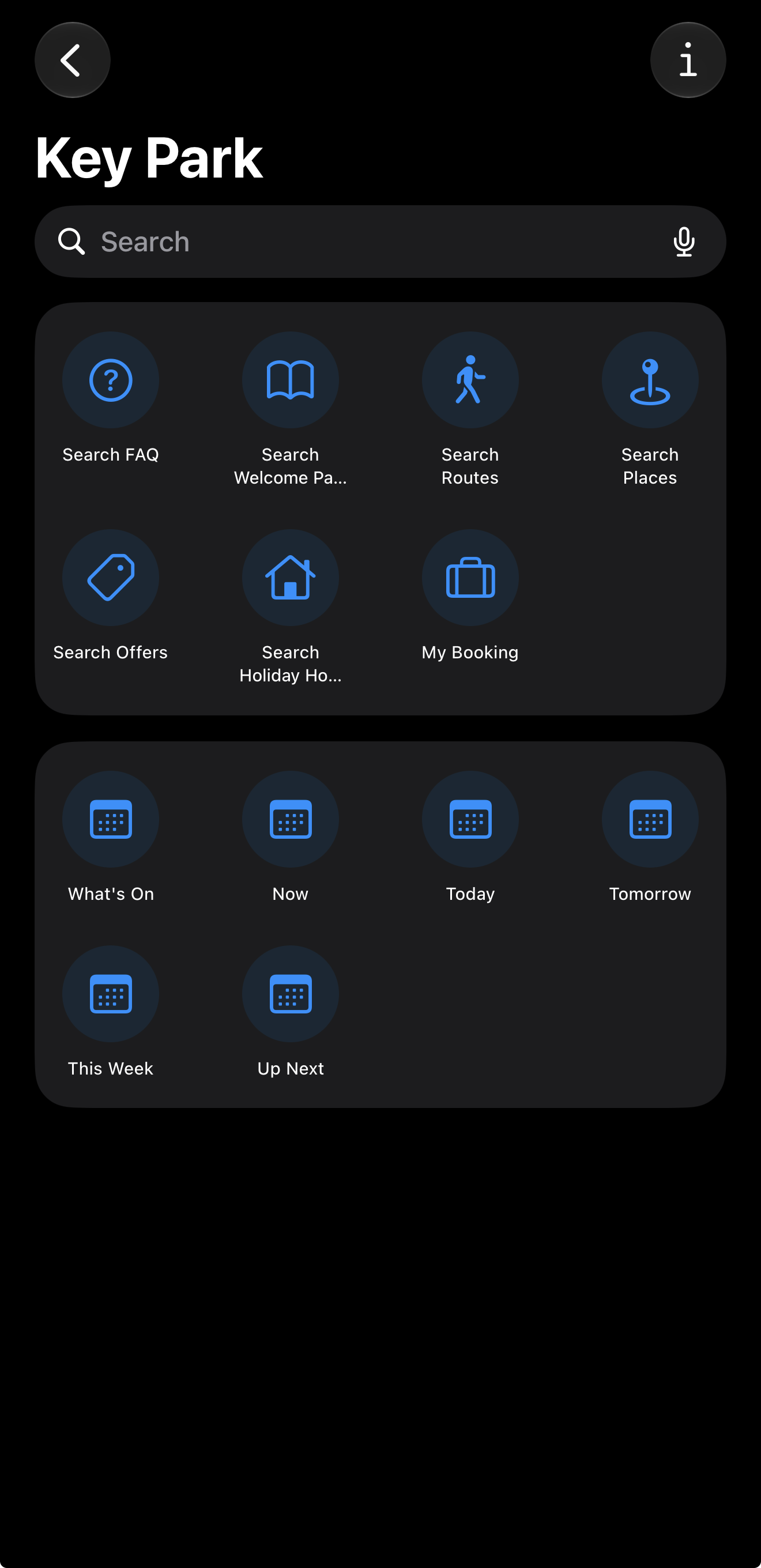
Open the Shortcuts app (built into every iPhone). The app’s shortcuts — Search FAQs, Search Routes, Search Holiday Homes, My Booking, and so on — are already there, ready to run with a tap.
Spotlight search
Swipe down on the home screen and start typing — park content shows up alongside everything else on the phone.
Just ask Siri
No app needs to be open. Say any of the phrases in this chapter — for example “I’m looking for a route at [app name]” — and Siri handles the rest.
Making sure it’s switched on
These features are on by default, but if a guest finds Siri isn’t picking up the app, or Spotlight results seem thin, it’s worth checking their iOS settings:
Open Siri & Search settings
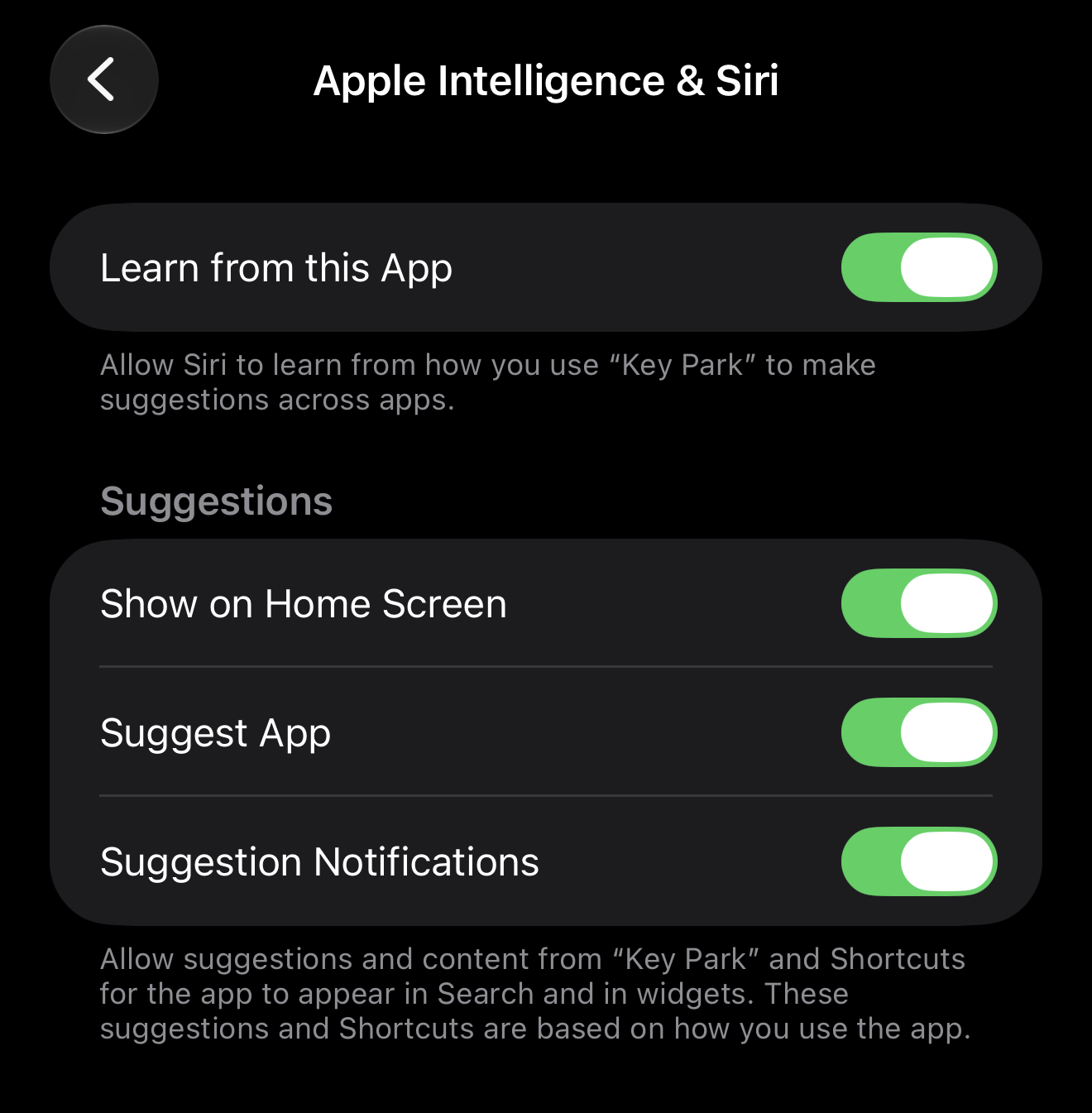
Go to Settings, then [app name], then Apple Intelligence & Siri
Check "Learn from this App"
“Learn from this App” is what allows Siri and Spotlight to proactively suggest things the guest has recently looked at — see Siri Predictions & On-Screen Awareness for what that specifically enables.
Try it now
Once everything above is switched on, say “I’m looking for a place at [app name]” to Siri, then answer with anything — even a category like “attractions”. If it works, Siri should ask what the guest is looking for, then read a short reply and show a handful of places on screen — no need to open the app first. If nothing happens, it’s worth checking the park-level feature toggles too — see Multiple Parks, Guest Restrictions & Feature Toggles, since a feature can be switched off for a specific park even when a guest’s own settings are correct.
Once everything above is switched on, say “I’m looking for a place at [app name]” to Siri, then answer with anything — even a category like “attractions”. If it works, Siri should ask what the guest is looking for, then read a short reply. A single match opens in the app, two to four are read out to choose from, and five or more are listed on screen — see Siri: Searching by Voice for how that’s decided. If nothing happens, it’s worth checking the park-level feature toggles too — see Multiple Parks, Guest Restrictions & Feature Toggles, since a feature can be switched off for a specific park even when a guest’s own settings are correct.
Info
If a guest saved one of the app’s shortcuts in the Shortcuts app before an app update, and it now shows “Unable to run shortcut”, delete that shortcut and add it again. A saved shortcut remembers the shape of the action it was built from, and the app’s search shortcuts may have changed shape in an update. The ready-made shortcuts that appear automatically don’t need this.